Generate Free QR Codes for Phone Calls
Scan, and the dialler opens with your number already in it. One tap and the phone rings, no typing, no transcription errors, no lost lead because someone misread a digit off a van.
Create your click-to-call QR code
Dial a phone number

This code is static and permanent. To change where it points after printing, .
Why Use This Tool
Scan, and the dialler opens with your number already in it. One tap and the phone rings, no typing, no transcription errors, no lost lead because someone misread a digit off a van.
Dials your number in one tap
The scan opens the dialler with your number filled in, so the caller never has to read digits off a van or a window and type them.
Removes the transcription error
Every mistyped digit is a lost call. A tel code skips the copying step entirely, which matters most on signs seen briefly or at night.
Turns intent into a ringing phone
It works at the moment someone decides to call: a shop window after hours, vehicle livery in traffic, a service counter, an estate agent board.
Print-ready for any surface
Export a sharp PNG or vector SVG for signage, cards, and flyers, and set your own colours so the code fits the design.
How It Works
- 1
Enter the number with its country code
Use full international format with a plus sign. Include the area or trunk code, and drop the spaces, brackets and dashes people add for readability, the dialler wants digits, and formatting characters cause failures on some Android builds.
- 2
Point it at a line someone answers
A call code converts intent into a ringing phone within seconds, which is worthless if it rings out. Use the number that is staffed during the hours the code will be seen, and if that changes seasonally, use a redirecting business number rather than reprinting signage.
- 3
Print it where people are already deciding
Shop windows after closing time, vehicle livery in traffic, estate agent boards, tradesman signage, service counters. These are all moments where someone wants to call and has no easy way to capture the number.
- 4
Print the number next to the code
Always show the digits as well. Some people will not scan, some are on a desktop, and a visible number reassures everyone else that the code does what the label says. The code is a shortcut, not a replacement.
The problem it actually solves
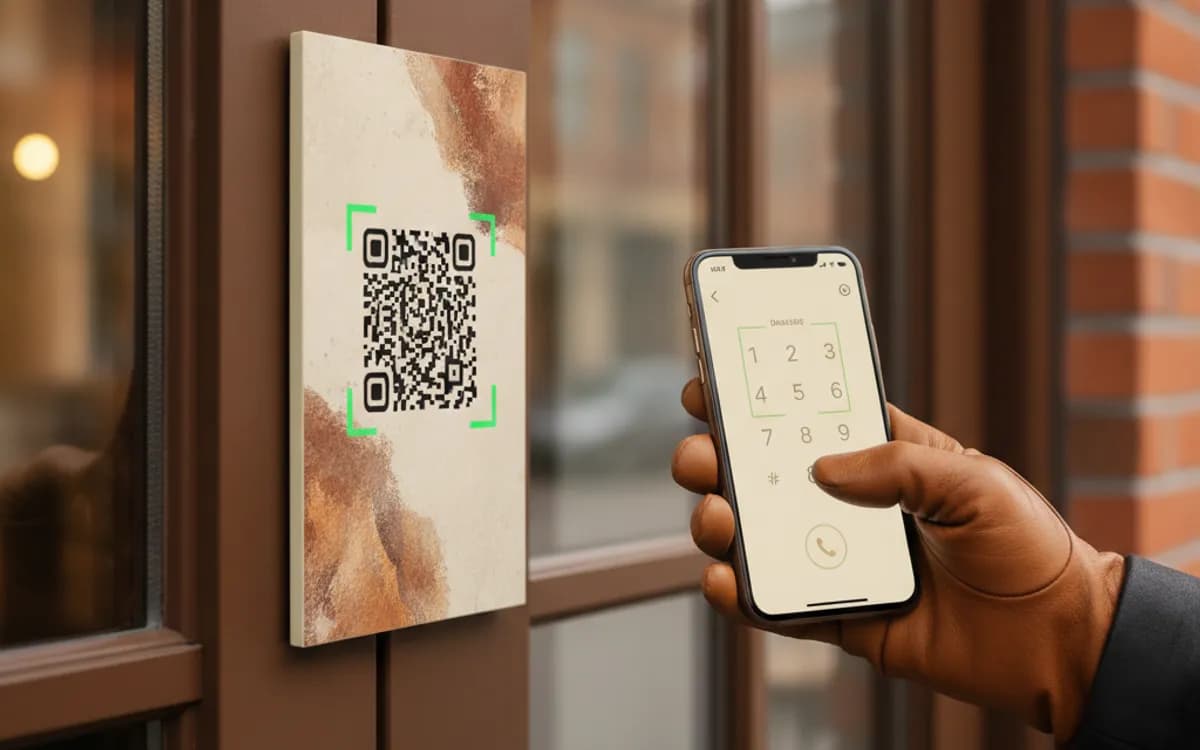
Reading a phone number off a moving van, a hoarding, or a window at night and typing it correctly is harder than it sounds, and every mistyped digit is a lost call. A tel: code removes the transcription step entirely. That is why it performs best on surfaces people see briefly and cannot easily photograph, the failure mode you are designing around is not laziness, it is a person with one hand full and eight seconds of attention.
Call, WhatsApp, or SMS
Calls suit urgent, high-value, and hard-to-explain jobs: emergency plumbing, medical appointments, roadside services, anything where a conversation closes faster than a thread. WhatsApp suits enquiries people are happy to leave and come back to, and dominates in markets where it is the default channel. SMS suits keyword opt-ins and audiences with no messaging app at all. If your enquiries arrive out of hours, a call code alone will lose them, pair it with a WhatsApp code and let the customer choose.
Measuring calls driven by a printed code
A static tel: code leaves no trace anywhere in your analytics, because the phone dials directly with nothing in between. If you need to know which sign produced which calls, use a distinct tracking number per placement, or point a URL code at a landing page with a click-to-call button so the visit is recorded before the call starts. Both approaches cost something; guessing costs more.
Free Tool vs a Free linkutm Plan
Every code on this page is free to make and never expires. A free linkutm plan adds what a printed code cannot do on its own, editing the destination and counting the scans, with no credit card required.
Editable codes, scan tracking, and analytics are included on the free plan. Your own domain, logo, frames, and team seats come with a paid plan when you need them.
Free plan available. No credit card required.
Frequently Asked Questions
Want To Know Who Scanned It?
A dynamic QR code keeps the same printed pattern while you change where it points, and shows you every scan, when, where, and on what device.
Related Tools
Generate Free QR Codes for WhatsApp
Make a free WhatsApp QR code that starts a chat with your number on scan. No signup. Add a pre-filled message for support or sales. Download PNG, SVG or PDF.
Generate Free QR Codes for SMS
Make a free SMS QR code that opens a pre-filled text message on scan. No signup. Perfect for opt-ins, support, and campaigns. Download PNG, SVG or PDF.
Generate Free QR Codes for Business Cards
Create a free business card QR code that shares your contact details on scan and saves to phones. No signup. Perfect for cards. Download PNG, SVG or PDF.
Generate Free QR Codes for Locations
Make a free location QR code that opens your address in maps on scan. No signup. Perfect for stores, events and invites. Download PNG, SVG or PDF.