Free Multi-URL QR Code Generator
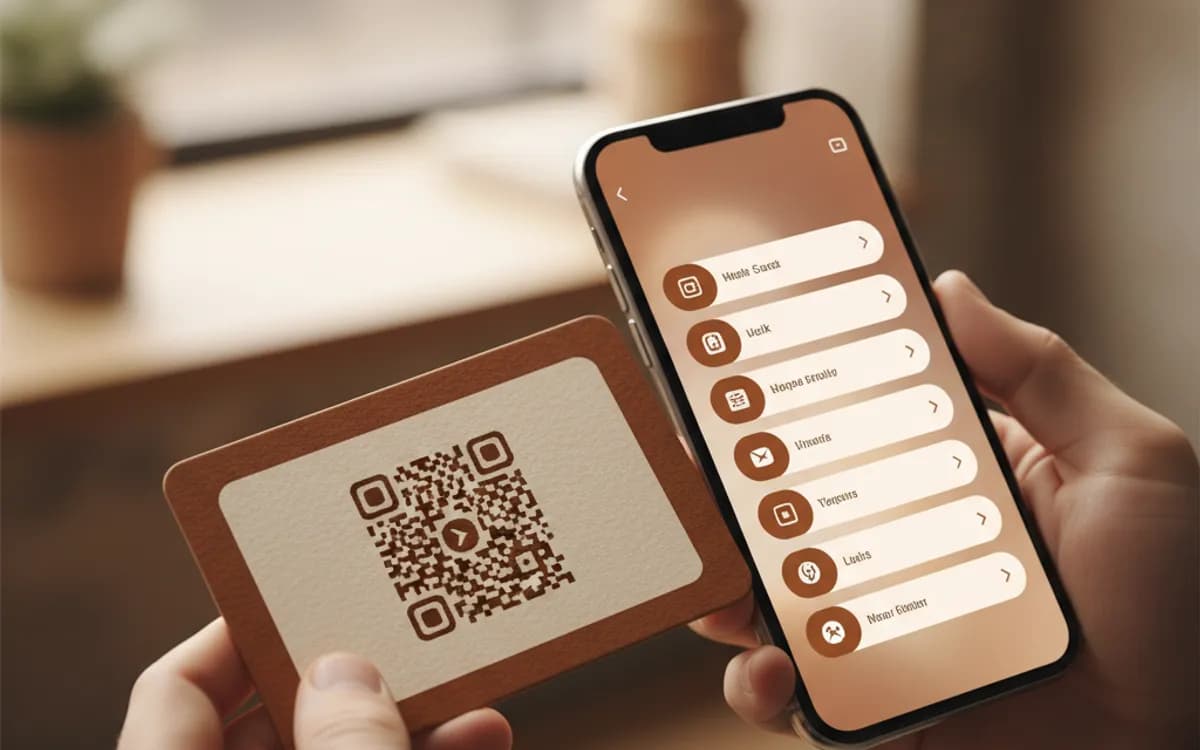
One printed square, several destinations. A Multi-URL code opens a hosted page listing every link you want to offer, so a single code on packaging or a card can serve support, socials, and the shop at once.
Build your multi-link QR code
Link to multiple URLs from one QR code
One code opens a hosted page listing up to 20 labelled links, and every link on it is tracked separately. Ideal for a link-in-bio card, an event agenda, or a product support hub.
25 dynamic QR codes a month, free. No credit card.

This code is static and permanent. To change where it points after printing, .
Why Use This Tool
One printed square, several destinations. A Multi-URL code opens a hosted page listing every link you want to offer, so a single code on packaging or a card can serve support, socials, and the shop at once.
Several links from one square
A single scan opens a hosted page that lists every destination you add, so packaging or a card can offer support, socials, and the shop at once.
Reorder or swap links anytime
The printed code points at a page you own, so you can add a seasonal offer or retire a dead link without reprinting a thing.
Every link measured on its own
Scans are counted at the code and taps are counted per link, broken down by city and device, so you see which destination people actually pick.
Put the top action first
Order links by priority and label them as clear actions, so the highest-value tap sits above the fold where one-handed scanners reach it.
How It Works
- 1
Decide what the page has to do
A link page works when the scanner has more than one plausible next step and you cannot predict which. Product packaging is the classic case: some people want the manual, some want a refill, some want support. If ninety percent of scanners want one thing, skip this and use a plain URL code instead.
- 2
Add your links in priority order
People scan standing up, often one-handed, often in a shop. The first two links get most of the taps. Put the highest-value action at the top, keep the list to five or six entries where you can, and label them as actions, 'Book a service visit' beats 'Support'.
- 3
Write labels a stranger understands
Internal names leak into link pages constantly. 'Q3 Launch LP' means nothing to a customer holding a box. Name each link by what the person gets when they tap it, and keep every label under about five words so nothing wraps awkwardly on a narrow phone.
- 4
Print one code and change the page whenever you like
Because the code points at a page you own rather than at a single destination, you can add a seasonal offer, retire a dead link, or reorder the list at any time. The printed pattern never changes, so nothing on a shelf or in a drawer goes stale.
Why one code beats five
Print space is the scarcest resource in offline marketing. A row of five codes on a box is unreadable at retail size, and even if you shrink them to fit, nobody stands in an aisle comparing squares. One code with a clear call to action next to it, 'Scan for the manual, spares and support', gets scanned far more often than a grid, and it lets you change the mix of destinations after the box is printed.
Every link on the page is measured separately
This is the part a plain link page cannot give you. Scans are counted at the code, taps are counted per link, and the gap between them tells you something useful: a page with 400 scans and 40 taps has a labelling problem, not a traffic problem. Break the numbers down by city and device and you learn which stores, regions, or handset types actually engage, which is the kind of evidence that justifies the next print run.
Where multi-link codes earn their keep
Packaging and inserts, where the box has to answer several questions at once. Conference badges and booth stands, where one code carries the deck, the demo booking, and the LinkedIn profile. Business cards for people who need to hand over a portfolio and a calendar link. Event posters that need the agenda, the map, and the ticket page. In each case the alternative is either a wall of tiny codes or a URL long enough to be printed but too long to be typed.
Free Tool vs a Free linkutm Plan
Every code on this page is free to make and never expires. A free linkutm plan adds what a printed code cannot do on its own, editing the destination and counting the scans, with no credit card required.
Editable codes, scan tracking, and analytics are included on the free plan. Your own domain, logo, frames, and team seats come with a paid plan when you need them.
Free plan available. No credit card required.
Frequently Asked Questions
Want To Know Who Scanned It?
A dynamic QR code keeps the same printed pattern while you change where it points, and shows you every scan, when, where, and on what device.
Related Tools
Generate Free QR Codes for URLs
Turn any link into a free URL QR code in seconds. No signup, no expiry. Download PNG, SVG or PDF, add your logo, and track every scan with linkutm.
Free Trackable QR Code Generator
Create a free trackable QR code and see scans by time, place and device. No signup. The best QR code generator with analytics. Download PNG, SVG or PDF.
Generate Free QR Codes for Business Cards
Create a free business card QR code that shares your contact details on scan and saves to phones. No signup. Perfect for cards. Download PNG, SVG or PDF.
Generate Free QR Codes for Product Info
Create a free product QR code that opens details, how-tos or authenticity on scan. No signup. Ideal for packaging. Download PNG, SVG or PDF.